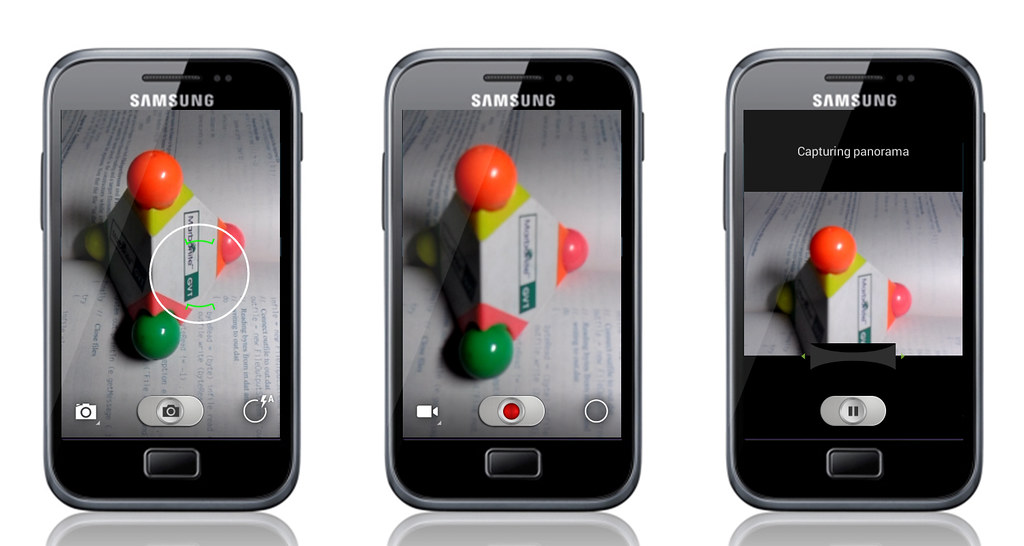
Maclaw fixed the bugs that can be found in the previous build, including the camera preview fix. This ROM also comes with minor audio improvement. The only bugs that I can found in the latest build is the Wifi failed to start, so you need to restart your phone if you want to start the Wifi again.
Features :
- CM11 Functionality
- Youtube HQ
- Triple Buffering
- Back Light Notification
- Wi-fi
- External Storage
- 2D/3D Hardware Acceleration
For the complete list of feature visit maclaw's website
If you are interested go on, but Technozzz wouldn't be responsible for any damage done to your devices, although I will try to help you fix the problem as much as I can
Before we start download all the files that we will need in maclaw's website download section. Just download the one for Galaxy S Advance, both the Cyanogen Mods and GAPPS after that put all the files to your phone memory. Make sure you either have CWM or TWRP recovery for your Galaxy S Advance
For CWM recovery :
- Power off the phone
- Now press and hold Volume Up, Home and Power buttons together until the Galaxy S Advance logo appears on screen and the device boots into recovery mode. Use volume button down and up to navigate between option
- Perform Wipe data/Factory reset (this will delete all apps and their settings and game progress) and choose Yes on next screen to confirm the action. Then perform Wipe Cache Partition and once again hit Yes to confirm.
- From the main menu of CWM recovery, go to Advanced and choose Wipe Dalvik Cache. Then hit Yes on next screen to confirm.
- Select Install Zip from sdcard and then click Choose zip from sdcard. Browse to the location of the AOKP ROM firmware file which you copied earlier to your phone. Choose Yes on next screen to confirm the ROM installation.
- Repeat the previous step to install Google Apps as well.
- Once Google Apps is also installed, select "+++++Go Back+++++"and reboot the device by tapping reboot system now from the recovery menu. Your Galaxy S Advance will restart and it may take about 5 minutes for first boot. So, do not interrupt the process.
For TWRP recovery
- Power off the phone
- Now press and hold Volume Up, Home and Power buttons together, until the Galaxy S Advance logo appears on screen and the device boots into recovery mode. Use volume button up and down to navigate between option
- Perform Wipe data/Factory reset (this will delete all apps and their settings and game progress). To do so, tap on Wipe and scroll down to the bottom of the screen and do a Swipe on "Swipe to factory reset" option.
- Now perform a System format by selecting Wipe > Advanced Wipe and then tap on System option. Scroll to the bottom of screen and do a swipe on "Swipe to Wipe" option.
- Tap on install and navigate to the CM11 ROM zip file you copied earlier to your phone. Scroll to the bottom of screen and do a swipe on Swipe to confirm flash option to begin installing the firmware.
- Repeat the previous step to flash Google apps as well.
- Once Google Apps is also installed, select reboot and then tap on System to reboot your device. Your Galaxy S Advance will restart and it may take about 5 minutes for first boot to complete. So, do not interrupt the process.
If there are some boot issues, infinite booting, stuck at booting, do a factory reset to your phone.
Check out our homepage for updates on gaming news and PC tweaks
Check out how to update galaxy ace plus to 4.1.2 Jelly Bean